Progressive Web Apps are very much in use by some of the biggest companies like Twitter, Forbes, Alibaba, Instagram, Flipkart e.t.c and have gained popularity. Building a PWA is quite easy and simple. In this tutorial, we’re going to build a simple Progressive web app (A weight converter app). Let's roll :)
INTRODUCTION
I’m sure by now you must have heard or read about Progressive Web Applications. Progressive Web Applications are experiences that combine the best of web applications features and the best of mobile applications features. They use service workers, HTTPS, a manifest file and an app shell architecture to deliver native app experiences to web applications.
The term Progressive Web Apps was first coined by Frances Berriman and Alex Russell in 2015, as a way of describing applications that take advantage of new features supported by modern browsers, including service workers and web app manifests.
Progressive Web Apps are largely characterized by the following:
- Reliable — They load instantly and never show the “No Internet Connection” page, even in uncertain network conditions with help from Service workers caching.
- Fast — They respond quickly to user interactions with smooth animations.
- Engaging — They feel like a natural app on the device, with immersive user experience.
WHY BUILD PROGRESSIVE WEB APPS?
Building a high-quality Progressive Web App has incredible benefits, making it easy to delight your users, grow engagement and increase traffic.
- They’re installable — if a user visits your website for the second, third, or fourth time, they get the option of adding it to their home screen. (Desktop, Android or iOS) After that, it works like a mobile application.
- They’re indexable — your app is visible in the browsers and so it’s searchable for users.
- They work offline — once you download it to your device, you can cache contents from the app without an Internet connection. Your users will never see the running downasaur :)
- They can send push notifications — once a new article/product/piece of news shows up on your website, your users will be notified just like every mobile app out there.
- They cut down page load times — as proved by housing.com, PWAs can significantly reduce page load times and thus improve overall UX.
- They are progressive — They will work for any user on any device even with a poor internet connection.
THE THREE BASIC CRITERIA FOR A PWA
- You need to be running on HTTPS
- You need a web manifest
- You need a service worker
Here’s a video from Google I/O ‘17 that explains in depth about Progressive Web Apps. Learn how PWA’s huge reach, low friction, high re-engagement, and lower costs work for developers and businesses. This talk details new ways of building and distributing Progressive Web Apps on Android and other OSes that let you reach more users.
STARTER FILES
You can find the starter repository here with all files and final demo here
APP DESCRIPTION
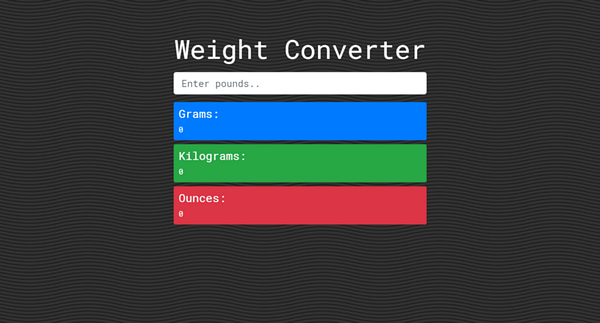
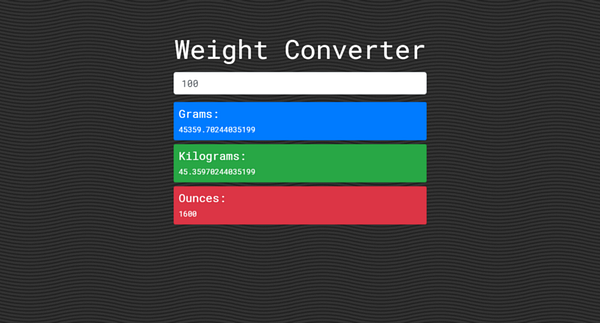
We’re going to build a simple weight converter that converts a given weight from Pounds to its equivalent in Gram, Kilogram and Ounce.
This project is just to help you understand how PWA’s work, after this, you can build your own project. We’d use Bootstrap 4 for the UI and JavaScript for the main functionality.
Here’s how the final project looks:
BUILDING THE UI
Now, let’s build the User interface of our application.
First, create the following files
index.htmlcss/app.cssjs/app.jsimg/favicon.png(Use any .png image)
Now. let’s build the markup
— In index.html , add this
We’ve added some Bootstrap classes already in index.html but we have not
included Bootstrap CDN yet. In app.css we’re going to do that.
— Add this in css/app.css
Now your app should look like this:
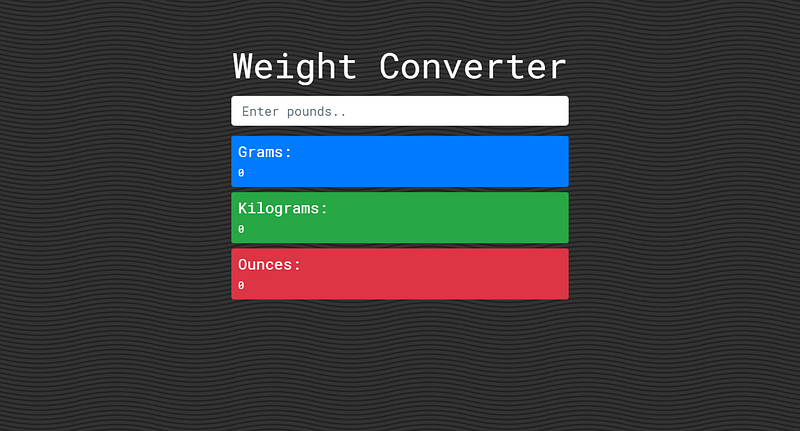
ADD JAVASCRIPT FUNCTIONALITY
Basically, we want to get the input value from the input field and process the returned results to each of the following id’s:
gOutputfor Grams,kgOutputfor Kilogram,ozOutputfor Ounces. Inindex.html, we wrapped all these id’s inoutput. We also want to hide the results and display them after a user enters a value in the input field.
Here is how we convert weight from Pounds to its equivalent in Gram, Kilogram and Ounce
- 1 Gram = Pounds/ 0.0022046
- 1 Kilogram = Pounds/ 2.2046
- 1 Ounce = Pounds * 16
— Add this in js/app.js
This is just basic JavaScript, if you have no idea what all this means, you should get JavaScript Teacher’s
Grammar JavaScriptbook. This will teach you all the basics and contexts of Modern JavaScript. Get a free copy here.
Now you should have a functioning app
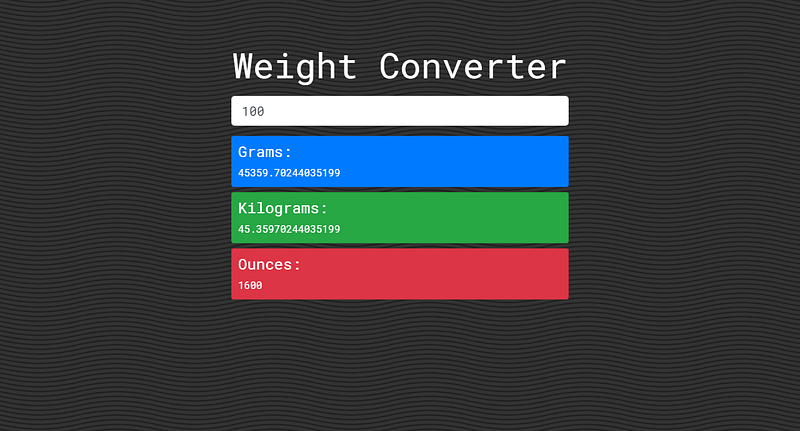
BUILD THE PROGRESSIVE WEB APP
The three basic criteria for a PWA:
- Service worker
A service worker is a script that allows your browser to run in the background, separate from a web page, opening the door to features that don’t need a web page or user interaction. Today, they already include features like push notifications and background sync. Read more
- Manifest file
The web app manifest is a simple JSON file that tells the browser about your web application and how it should behave when ‘installed’ on the user’s mobile device or desktop. Having a manifest is required by Chrome to show the Add to Home Screen prompt. Read more
- Icons
These icons control your application and are provided in different sizes for different devices. Your PWA app will not work without them.
Now let’s get started.
Before we proceed, ensure you’re using a live server
Use (Web server for Chrome, or VSCode Live Server)
Create the following files:
sw.js(In root directory)manifest.json(In root directory)img/icons(Where we’d store our icons
First, we need to check if the browser supports service workers and register a new one.
In js/app.js add
    if ('serviceWorker' in navigator) {
      window.addEventListener('load', () => {
       navigator.serviceWorker.register('../sw.js').then( () => {
        console.log('Service Worker Registered')
       })
     })
    }
If the browser supports it, you should get this in your console
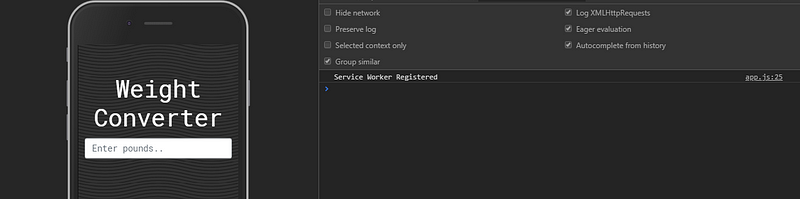
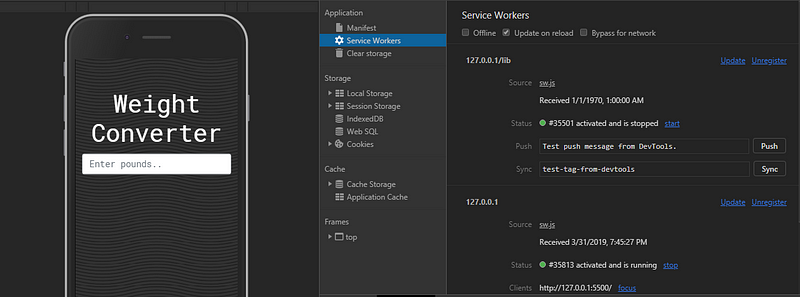
Your final app.js should look like this
We’re going to use the Workbox library to power our service worker
Workbox is a set of libraries and Node modules developed by Google that makes it easy to cache assets and take full advantage of features used to build Progressive Web Apps.
The idea of our service worker is to cache all files (Fonts, JavaScript, CSS, Images, e.t.c) so we can access them offline after the page loads.
The important thing to understand about the Service Worker is that you are in control of the network. You get to decide what is cached, how it is cached , and how it should be returned to the user.
— In sw.js, add this:
[https://gist.github.com/BolajiAyodeji/724f0e782981f4d24bba324a4274e854]
So basically we imported workbox-sw.js which is Workbox’s service worker file,
then we checked if Workbox is loaded in our own service worker.
    if (workbox) {
      console.log(`Yay! Workbox is loaded 🎉`);
    } else {
      console.log(`Boo! Workbox didn't load 😬`);
    }
One of Workbox’s primary features is it’s routing and caching strategy modules. It allows you to listen for requests from your web page and determine if and how that request should be cached and responded to.
Routing in Workbox is the process of a Router matching a request to a route and the route then handling that request (i.e. providing a response).
In sw.js, we did something like this:
    workbox.routing.registerRoute(
      /\.(?:js|css|scss)$/,
      new workbox.strategies.StaleWhileRevalidate(),
    );
Basically, this tells Workbox that when a request is made, it should see if the
regular expression matches part of the URL (.css, .scss, .js) and if it does,
cache that file.
The StaleWhileRevalidate() function allows us to use this cache in our
application but still update in the background if the file has changed. You
would need to refresh again to see the new files.
Precaching a file will ensure that a file is downloaded and cached before a service worker is installed, meaning that if your service worker is installed, your files will be cached.s
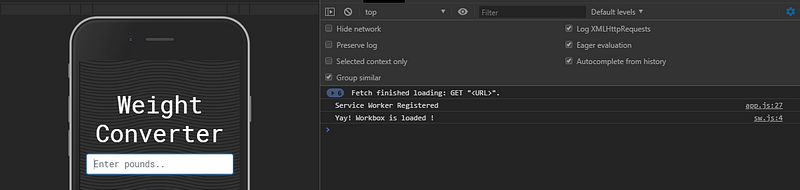
Now our service worker works and would cache files once the page loads.
Now let's make our app installable.
— Add this in manifest.json
Your PWA Icons sizes should be in
pxand in the following sizes:72x72,96x96,128x128,144x144,152x152,192x192,384x384,512x512You can use the Web Manifest Generator to generate your
manifest.json
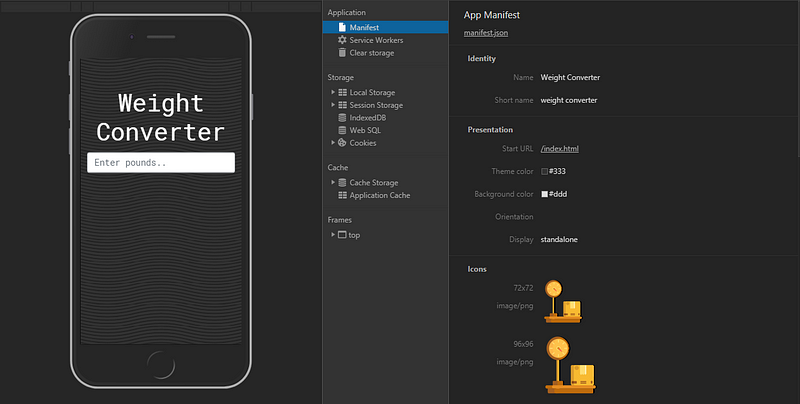
Now we need to connect our web app to the manifest to allow “add to home screen”
from that page. Add this to your index.html
<link rel="manifest" href="/manifest.json" />
 <meta name="theme-color" content="#333" />
If you have multiple pages, you need to add this to all of them.
You can also use the same
theme-coloryou used inmanifest.jsonhere
Now your final index.html should look like this (PS: I’ve added some SEO tags)
Now caching will begin once the page loads
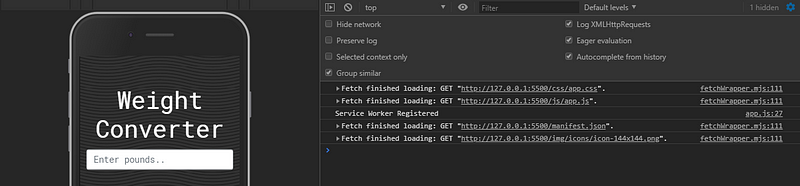
Congratulations, you’ve successfully built your first Progressive Web App.
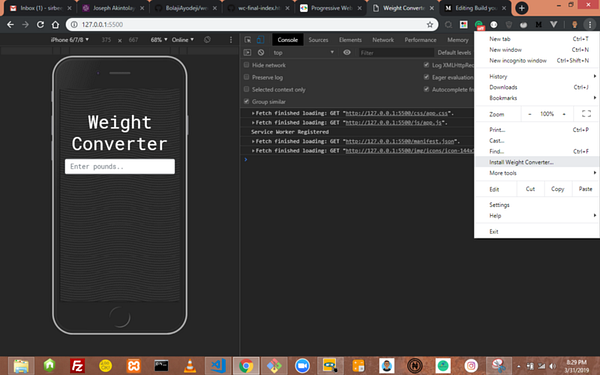
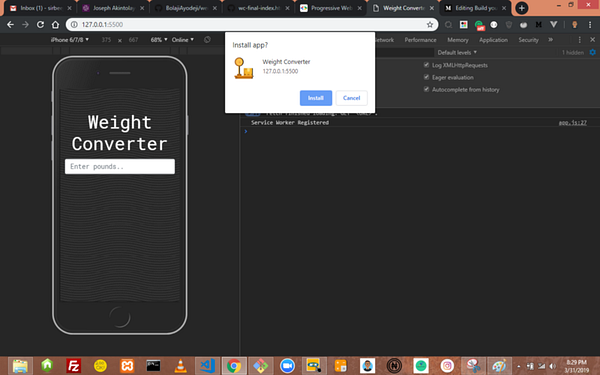
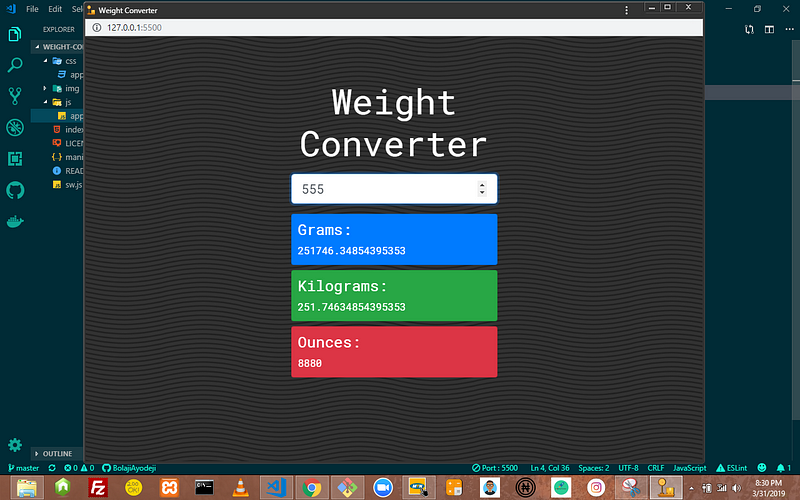
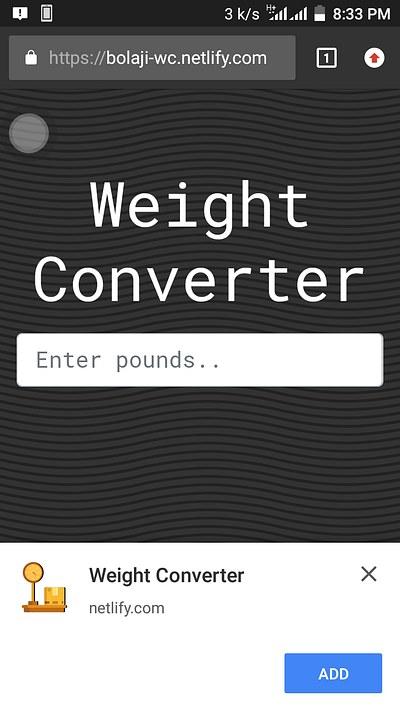
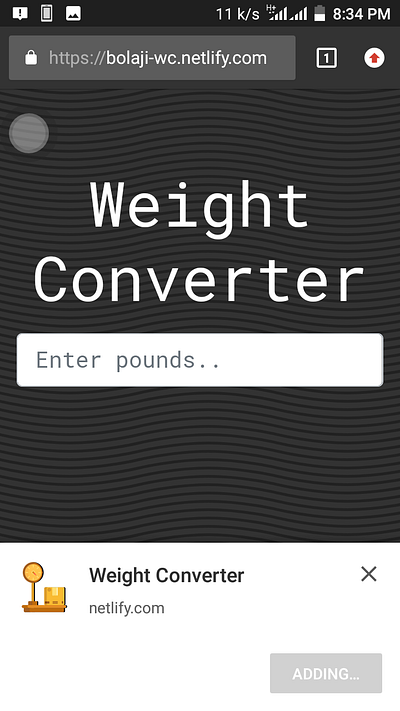
It can be installed on Mobile (Android and iOS) and Desktop.
DESKTOP
MOBILE
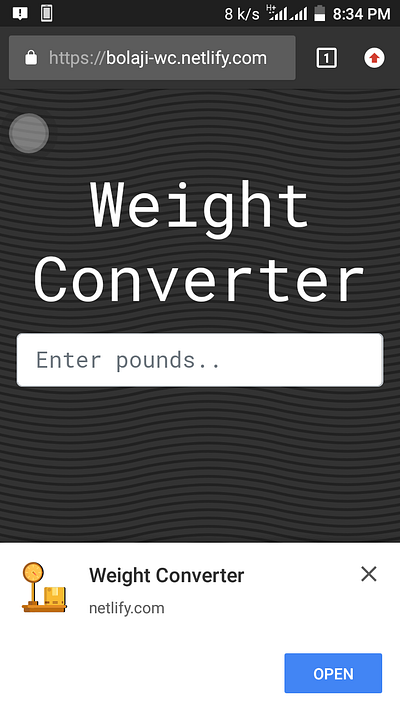
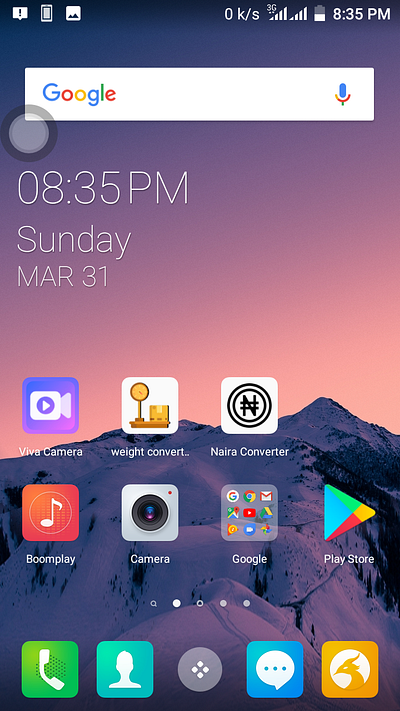
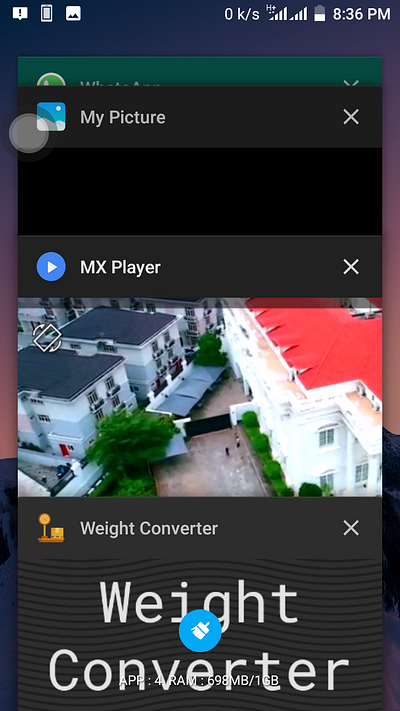
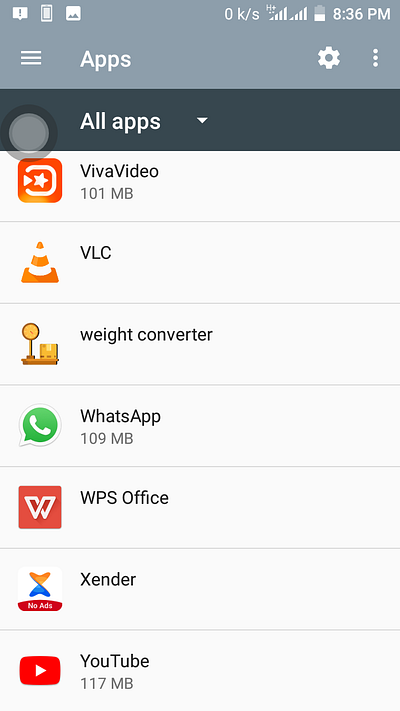
DEPLOYING TO NETLIFY
Now let’s deploy our app to Netlify.
Netlify is an all-in-one workflow that combines global deployment, continuous integration, and automatic HTTPS. It builds, deploys, and manage modern web projects.
Before you proceed, ensure you’ve hosted this project on GitHub, GitLab or BitBucket.
- Create an account on https:/.netlify.com
- Click new site from Git

- Choose your Git provider
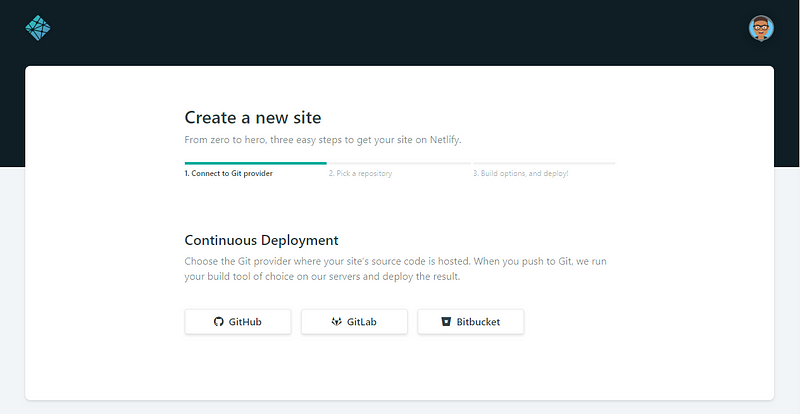
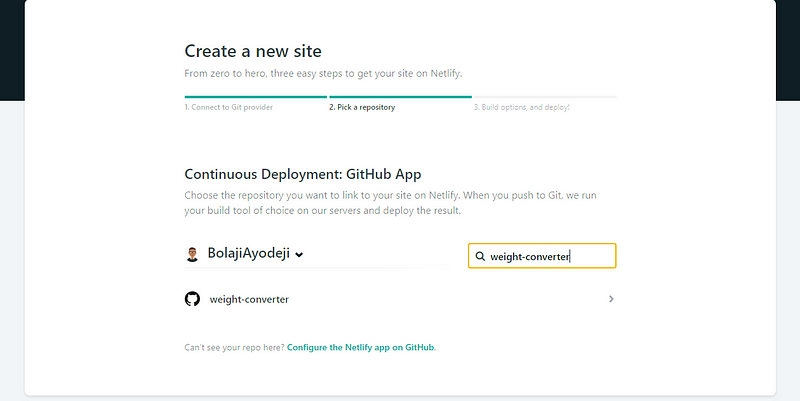
- Select your repository (Here I named it
weight-converter)
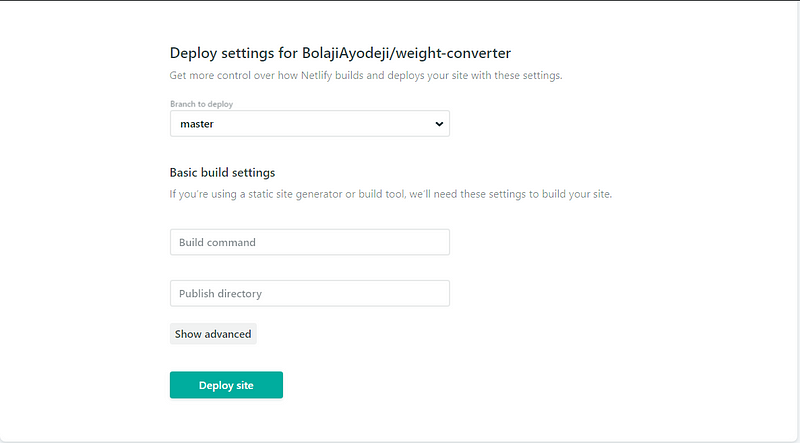
- Click “Deploy site”
- Bingo!! It’s done
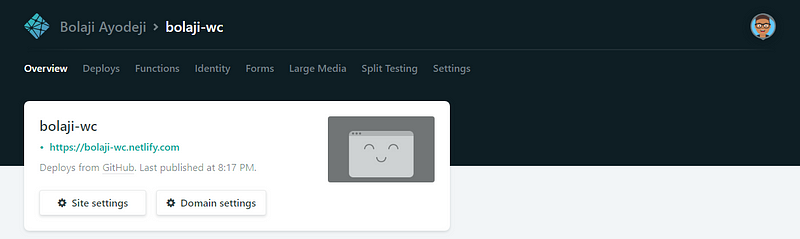
If you make any changes to your repository, Netlify will deploy automatically.
PS: Netlify generates random domains for each app deployed, you can change that in Domain settings.
CONCLUSION
Building a high-quality Progressive Web App has incredible benefits, making it easy to delight your users, grow engagement and increase conversions.
When the Progressive Web App criteria are met, Chrome prompts users to add the Progressive Web App to their home screen.
Service workers enabled Konga to send 63% fewer data for initial page loads, and 84% fewer data to complete the first transaction!
- Increased engagement Web push notifications helped eXtra Electronics increase engagement by 4X. And those users spend twice as much time on the site.
- Improved conversionsThe ability to deliver an amazing user experience helped AliExpress improve conversions for new users across all browsers by 104% and on iOS by 82%.
— Source: Google Developer’s
Check the PWA Checklist created by Google to help teams create the best possible experiences. This checklist breaks down all the things it takes to be a Baseline PWA, and how to take that a step further with an Exemplary PWA by providing a more meaningful offline experience, reaching interactive even faster and taking care of many more important details.
Thank you for reading!
Credits
About the author
undefined or mostly null.
Comments
Join the discussionNo comments yet. Be the first to comment.
Web Engineering
In this series, I will share articles related to best practices for building and deploying applications on the web with the JavaScript and Python programming languages.