# TIL: CSS list-style-position property
The [HTML list tag](https://www.w3schools.com/html/html_lists.asp) allows you to list ordered and unordered items. One major UI problem I had with list items is the position of the `::marker` (bullet) pseudo-element in a list item.
> The `::marker` pseudo-element selects the marker box of a list item, which contains the list bullet or number to display the list item. This is used in tags like `` and `` elements.
Sometimes, the list item's bullet has some left margin irregularities which make lists not so good looking with respect to the page's default spacing layout. I had to solve this by hacking the extra spacing and adding some left margin.
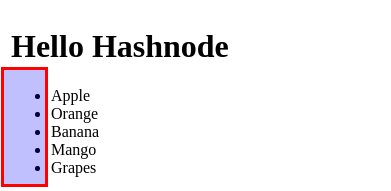
Today I learned about the CSS `list-style-position` property that sets the position of the `::marker` relative to a list item and allows you to decide the position of the bullet.
## `list-style-position: inside`
Here, the `::marker` is the first element among the list item's contents; hence the bullet will be inside the list item.
```html
- Apple
- Orange
- Banana
- Mango
- Grapes
```
```
ul {
list-style-position: inside;
}
```
## `list-style-position: outside`
Here the `::marker` is outside the element's box; hence the bullet will be outside the list item. This is the default position of a list item.
```
- Apple
- Orange
- Banana
- Mango
- Grapes
```
```
ul{
list-style-position: outside;
}
```
%[https://codepen.io/iambolajiayo/pen/XWmJavV]
You can use some global syntax values.
```
list-style-position: inherit;
list-style-position: initial;
list-style-position: unset;
```
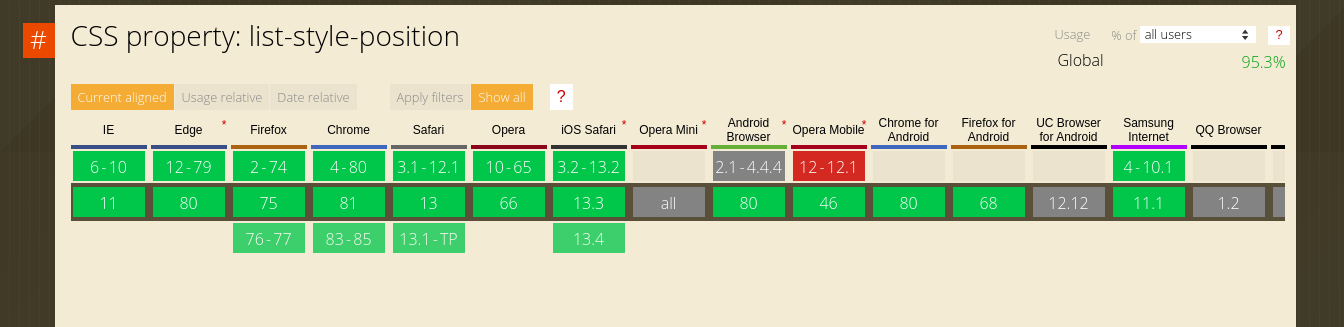
## Browser Support
> src="https://caniuse.com/#search=list-style-position"