GitHub recently introduced a special feature for developers, that allows you to showcase yourself by pinning a README.md containing information about you, your work, portfolio, and anything else on your GitHub profile.
Here are some of my favorites:
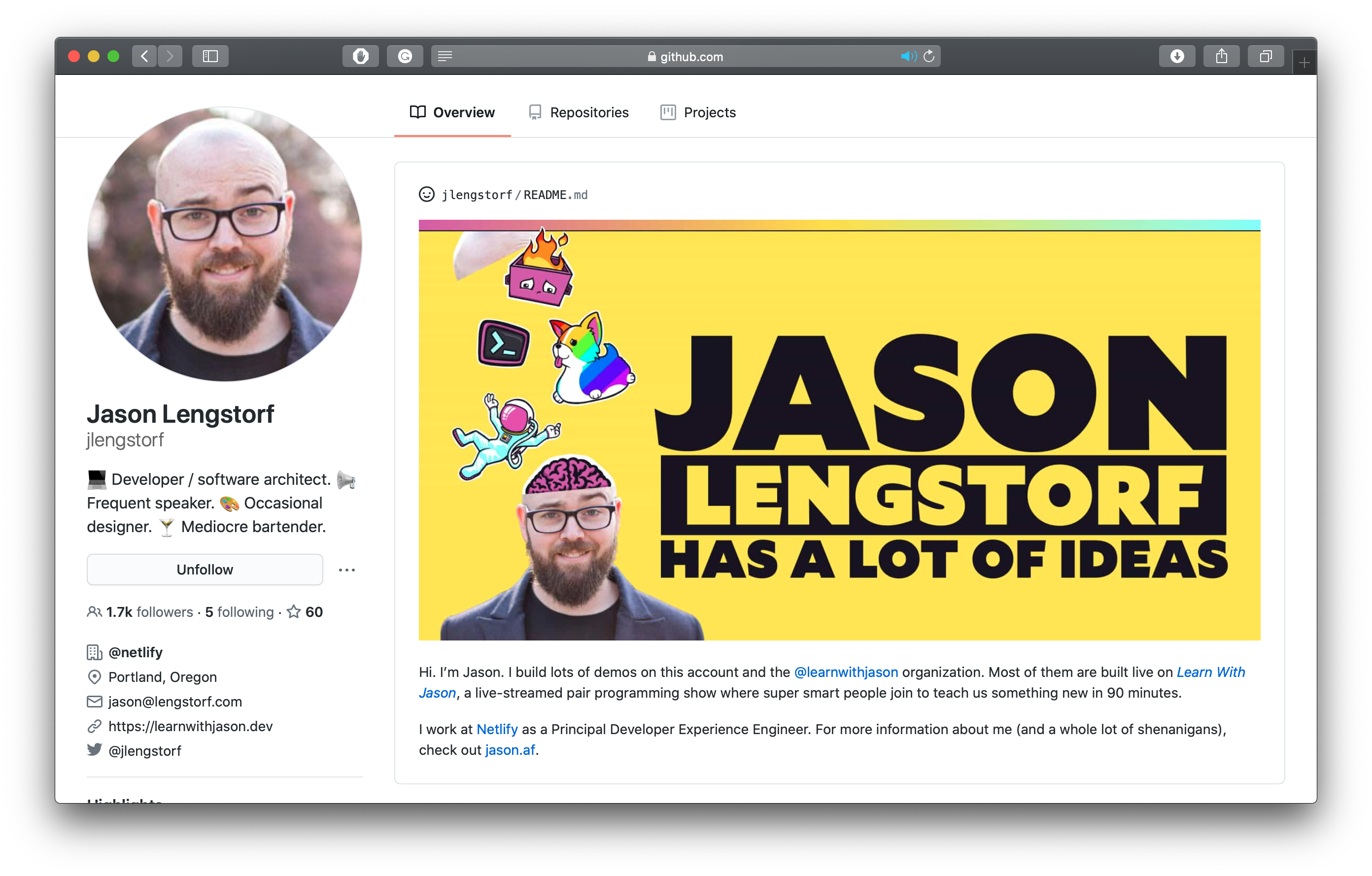
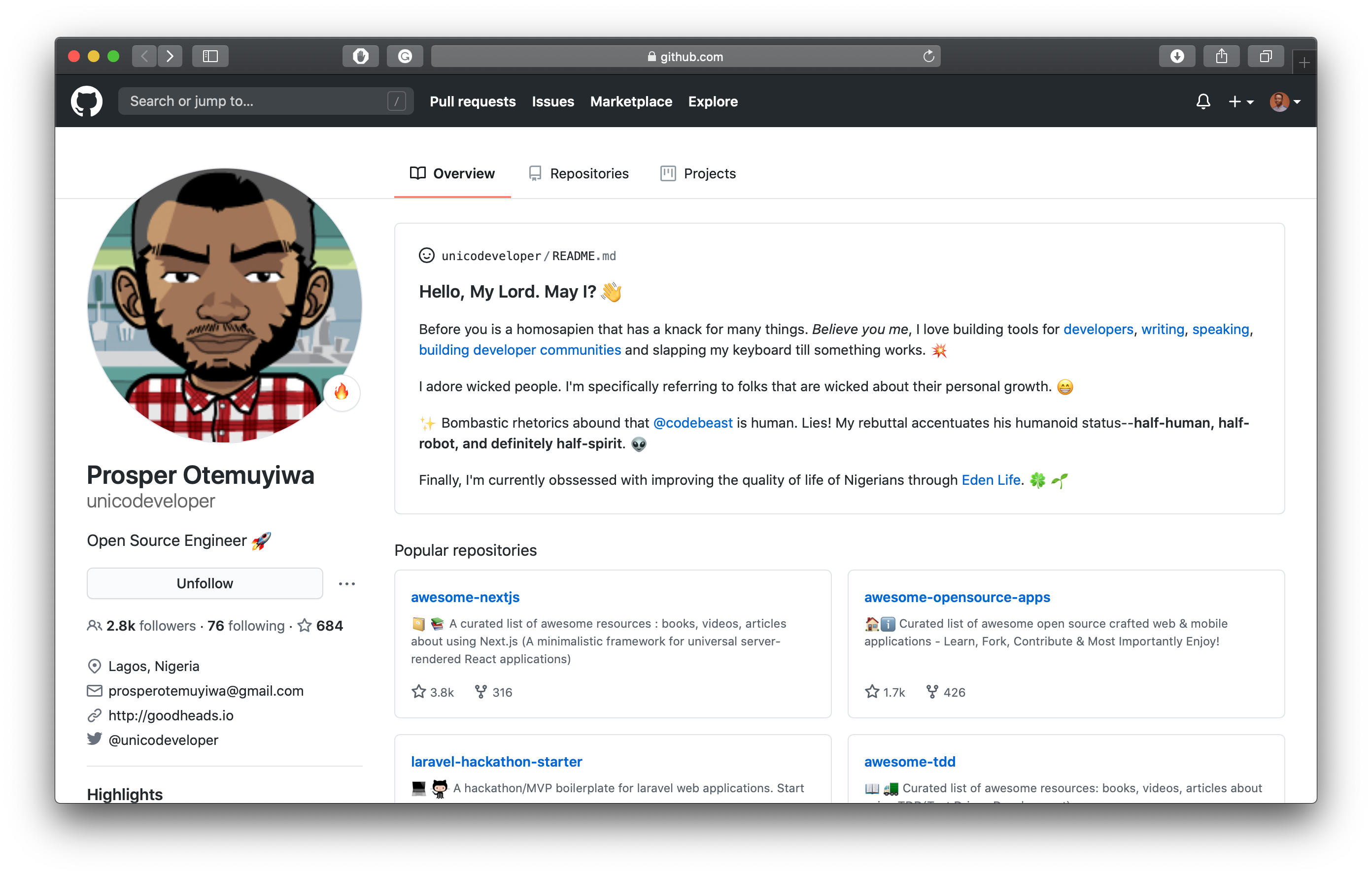
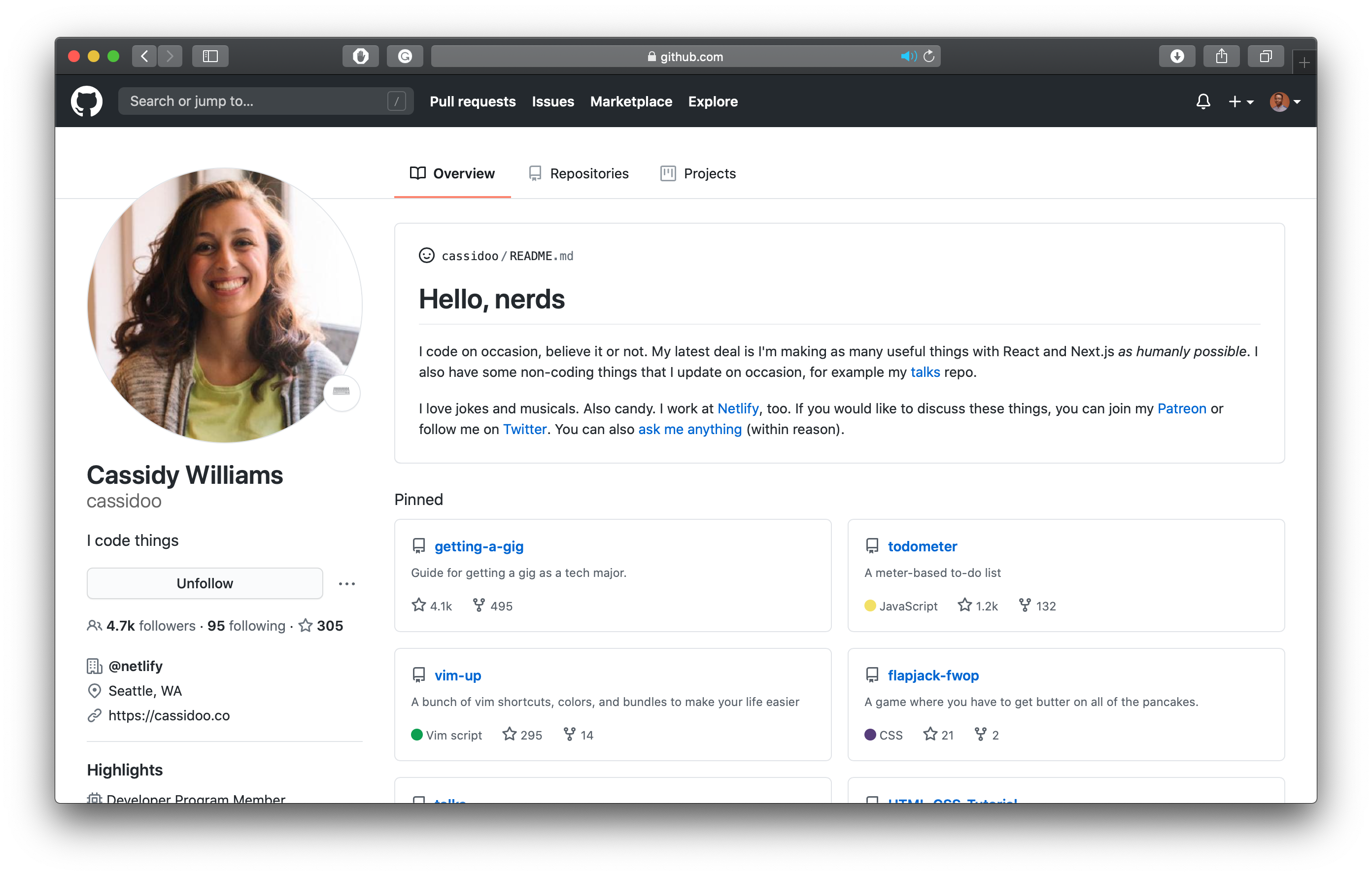
In this article, I'll show you how to create a new GitHub repository and pin your special README file to your profile. That's it 🌚
Prerequisites
- A GitHub account
- Basic markdown knowledge
- Smile dear friend :)
STEP ONE
- Create a new ✨special✨ repository with your username. The special repository is case sensitive, ensure to use the same case as your account's username.
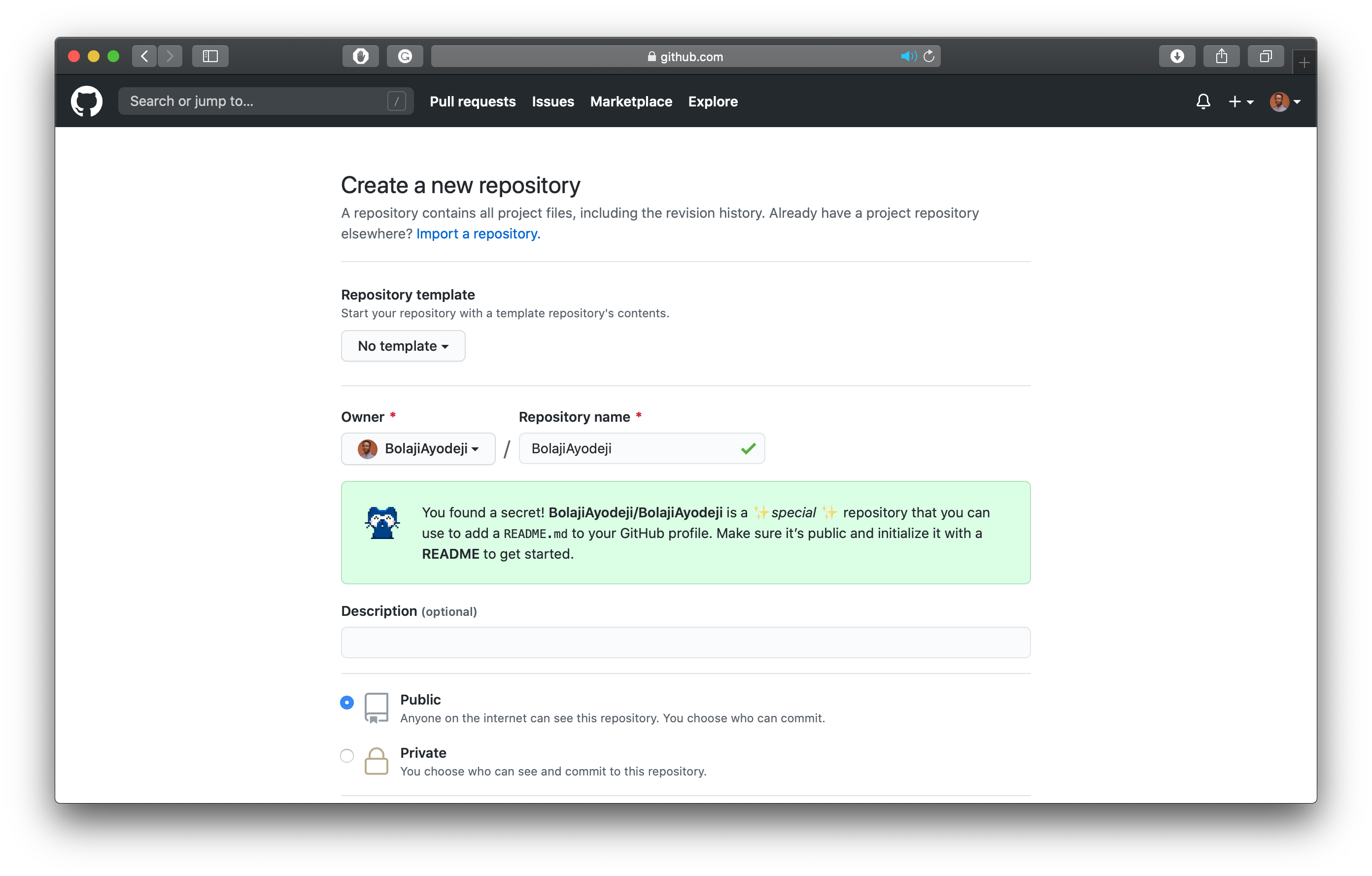
- Click on the checkbox: Initialize this repository with a README. This will create a
README.mdfile inside your / repository.

STEP TWO
A README file contains information about other files in a directory or archive of computer software. A form of documentation, it is usually a simple plain text file called
READ.ME,README.TXT,README.md,README.1ST– or simply README. The file's name is generally written in uppercase letters. ~ Wikepedia
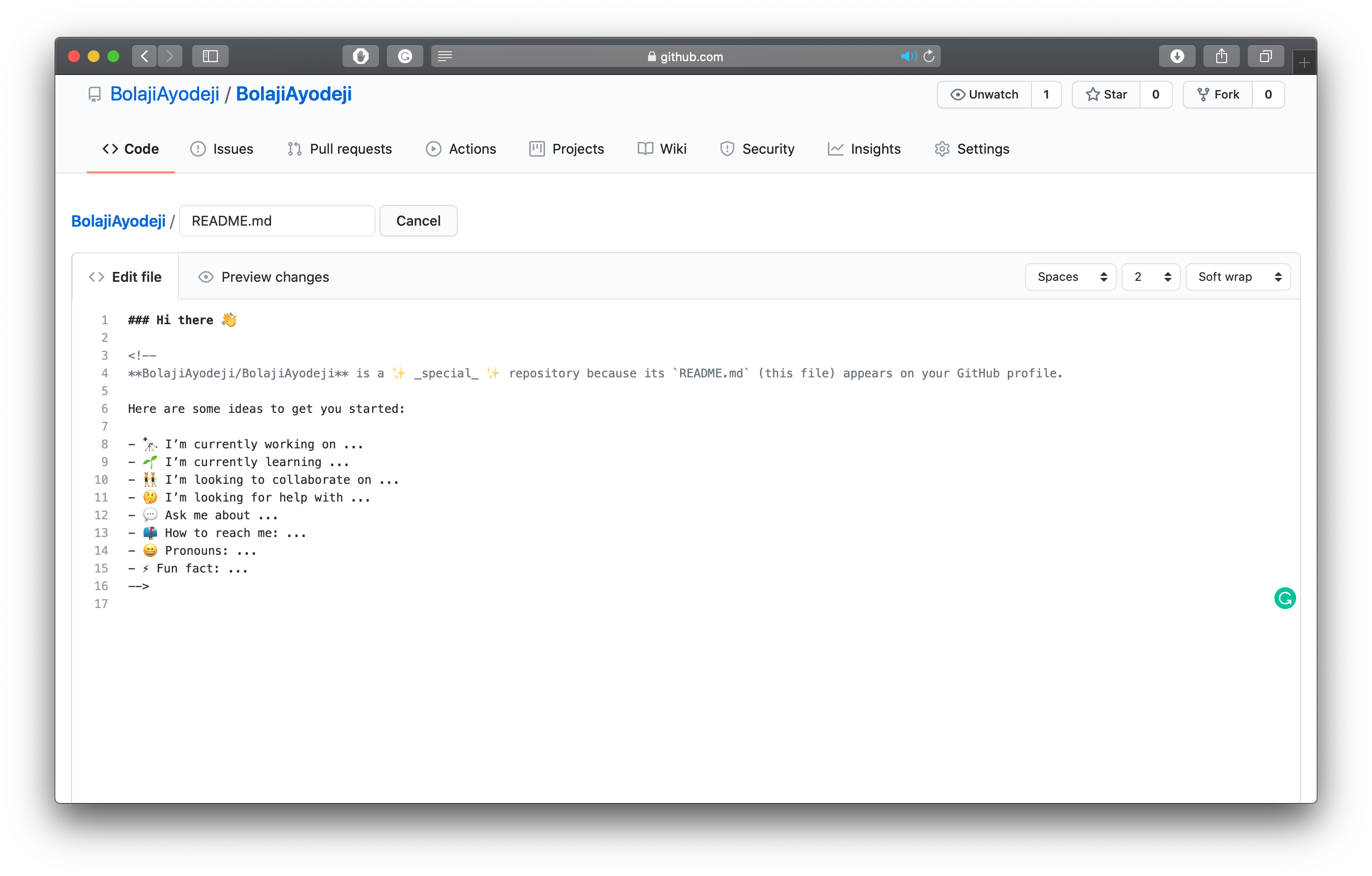
Now you have the README.md file in your ✨special✨ repository, that's all you need. Edit the file as you deem fit (add images, text, tables, lists, embeds and anything else markdown supports). The README file will automatically appear on your public GitHub profile!
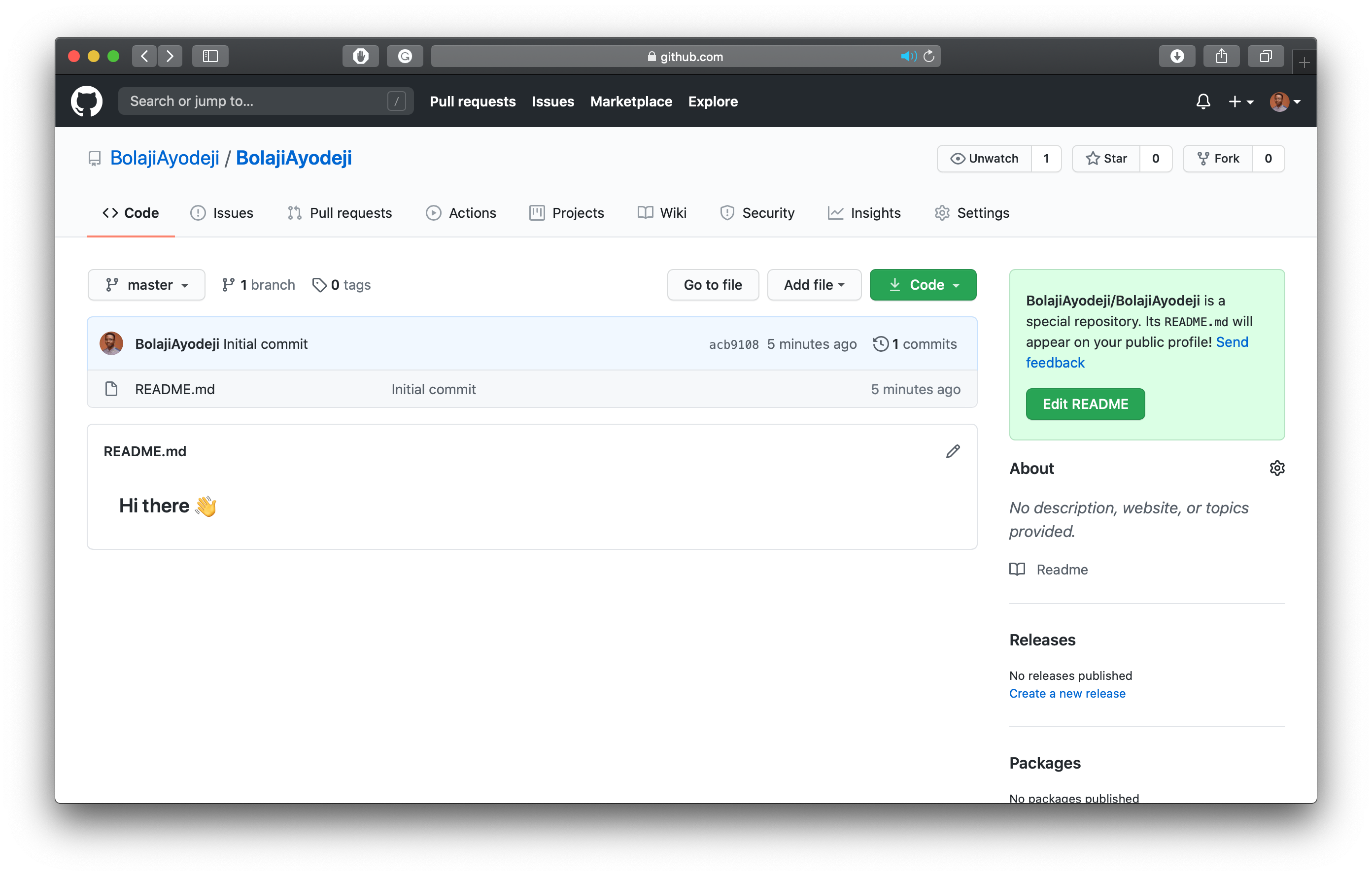
You also get a free template out of the box, cool right?
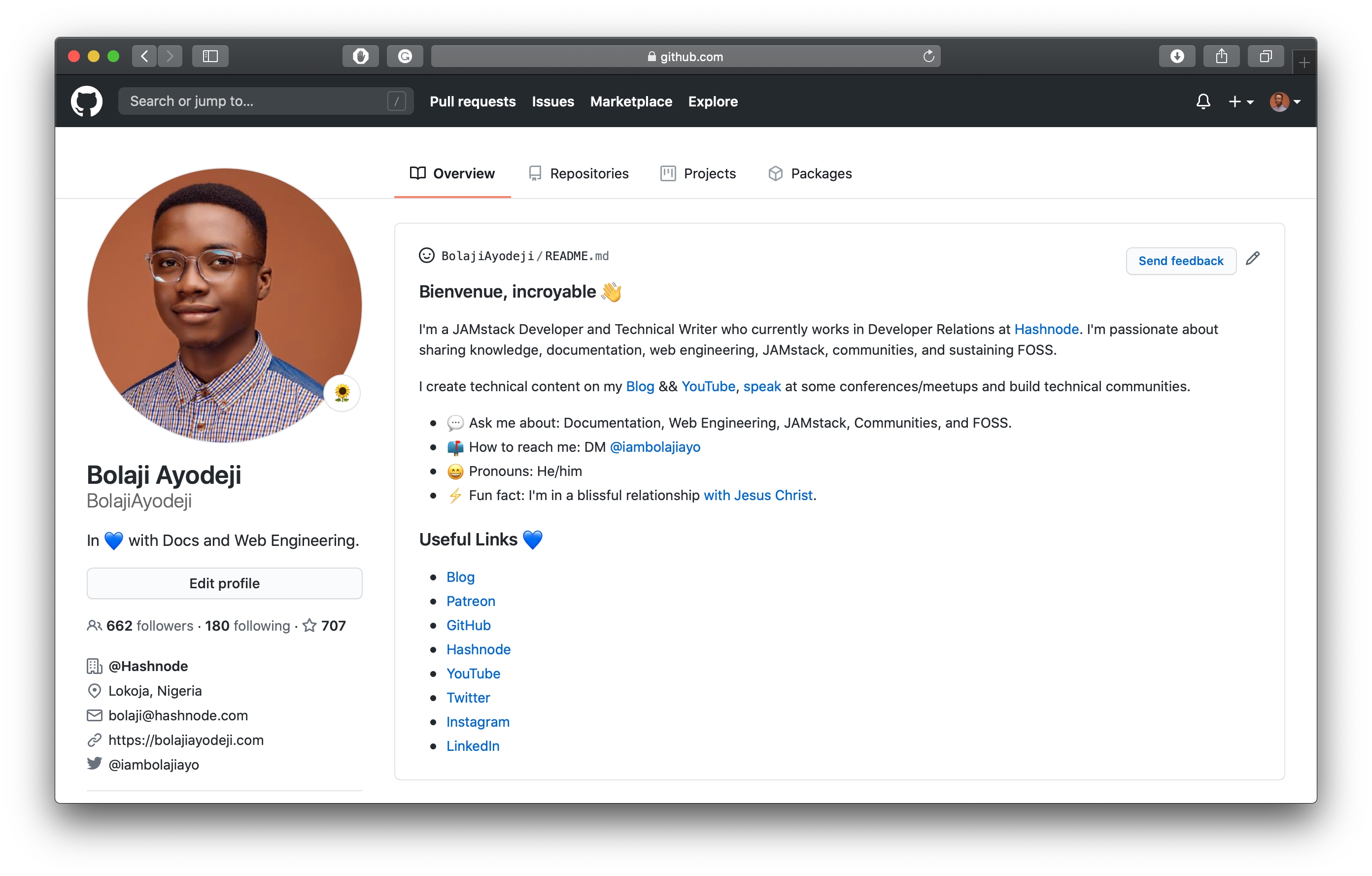
Here's my own finished profile page from the special repository:
Conclusion
The special repository is a great way to showcase and summarize yourself and work for potential opportunities and engagements. Get creative and showcase everything about yourself to your friends and GitHub stalkers.
Got your special repository live now? Drop a link to your GitHub account in the comments and let's see how amazing yours look. ✌🏾🙂
About the author
undefined or mostly null.
Comments
Join the discussionWell written article. Useful content for Github beginers. Bolaji Ayodeji
thanks bolaji for this lol my github account looks better now have a look here
Love it!
Really cool! Thanks for sharing that feature 👏🏻
Wao! Thanks for this article. Am gonna create mine ASAP.
Cool article. How do y'all come up with those cool things to write tho? And any good reseources for learning markdown? All i know is how to create a heading
Here's a markdown guide you can use:
Thanks for sharing. I have been thinking of creating a portfolio website, but with this I will take my time plan my portfolio website.
Thank you sharing
Thanks for this. Doing mine right away!
Glad I could help :)
Open Source
In this series, I will share articles related to creating, contributing to, maintaining, and sustaining open source projects.