# Building & Deploying your First Progressive Web App
Progressive Web Apps are very much in use by some of the biggest companies like
Twitter, Forbes, Alibaba, Instagram, Flipkart e.t.c and have gained popularity.
Building a PWA is quite easy and simple. In this tutorial, we’re going to build
a simple Progressive web app (A weight converter app).
Let's roll :)
## INTRODUCTION
I’m sure by now you must have heard or read about Progressive Web Applications.
Progressive Web Applications are experiences that combine the best of web
applications features and the best of mobile applications features. They use
service workers, HTTPS, a manifest file and an app shell architecture to deliver
native app experiences to web applications.
The term *Progressive Web Apps* was first coined by [Frances
Berriman](https://twitter.com/phae) and [Alex
Russell](https://twitter.com/slightlylate) in 2015, as a way of describing
applications that take advantage of new features supported by modern browsers,
including service workers and web app manifests.
Progressive Web Apps are largely characterized by the following:
* **Reliable** — They load instantly and never show the “No Internet Connection”
page, even in uncertain network conditions with help from Service workers
caching.
* **Fast** — They respond quickly to user interactions with smooth animations.
* **Engaging** — They feel like a natural app on the device, with immersive user
experience.
## WHY BUILD PROGRESSIVE WEB APPS?
Building a high-quality Progressive Web App has incredible benefits, making it
easy to delight your users, grow engagement and increase traffic.
* They’re installable — if a user visits your website for the second, third, or
fourth time, they get the option of adding it to their home screen. (Desktop,
Android or iOS) After that, it works like a mobile application.
* They’re indexable — your app is visible in the browsers and so it’s searchable
for users.
* They work offline — once you download it to your device, you can cache contents
from the app without an Internet connection. Your users will never see the
running downasaur :)
* They can send push notifications — once a new article/product/piece of news
shows up on your website, your users will be notified just like every mobile app
out there.
* They cut down page load times — as proved by
[housing.com](https://developers.google.com/web/showcase/2016/pdfs/housing.pdf),
PWAs can significantly reduce page load times and thus improve overall UX.
* They are progressive — They will work for any user on any device even with a poor internet connection.
## THE THREE BASIC CRITERIA FOR A PWA
1. You need to be running on HTTPS
1. You need a web manifest
1. You need a service worker
> Here’s a video from Google I/O ‘17 that explains in depth about Progressive Web
> Apps. Learn how PWA’s huge reach, low friction, high re-engagement, and lower
costs work for developers and businesses. This talk details new ways of building
and distributing Progressive Web Apps on Android and other OSes that let you
reach more users.
%[https://www.youtube.com/watch?v=m-sCdS0sQO8&t=2s]
----
## STARTER FILES
You can find the starter repository
[here](https://github.com/BolajiAyodeji/weight-converter) with all files and
final demo [here](https://bolaji-wc.netlify.com/)
## APP DESCRIPTION
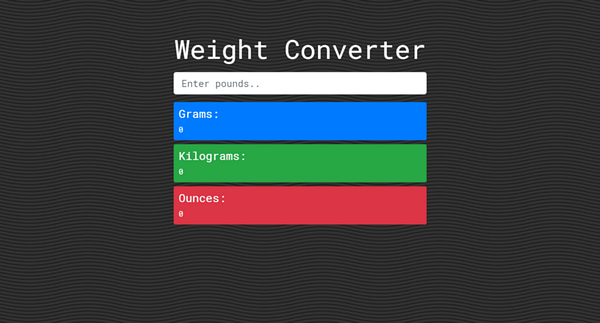
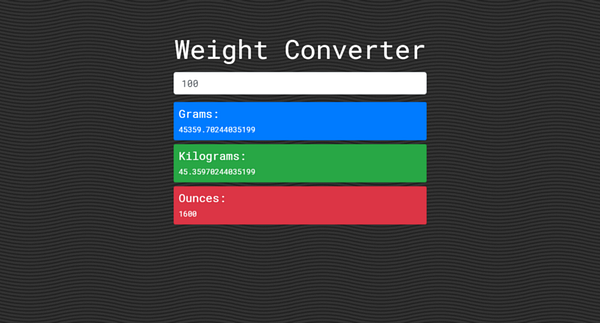
We’re going to build a simple weight converter that converts a given weight from
Pounds to its equivalent in Gram, Kilogram and Ounce.
This project is just to help you understand how PWA’s work, after this, you can
build your own project. We’d use Bootstrap 4 for the UI and JavaScript for the
main functionality.
Here’s how the final project looks:
## BUILDING THE UI
Now, let’s build the User interface of our application.
First, create the following files
* `index.html`
* `css/app.css`
* `js/app.js`
* `img/favicon.png `(Use any .png image)
Now. let’s build the markup
— In `index.html` , add this
%[https://gist.github.com/BolajiAyodeji/b1b8d3b20f8d8f6de59ea09e2343f42e]
We’ve added some Bootstrap classes already in `index.html` but we have not
included Bootstrap CDN yet. In `app.css` we’re going to do that.
— Add this in `css/app.css`
%[https://gist.github.com/BolajiAyodeji/82dfa8ca5f7bb903999c2dd3b5813678]
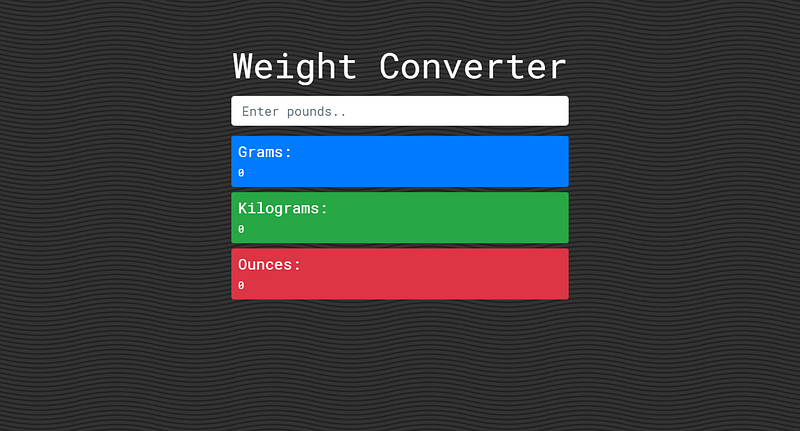
Now your app should look like this:
## ADD JAVASCRIPT FUNCTIONALITY
> Basically, we want to get the input value from the input field and process the returned results to each of the following id’s: `gOutput` for Grams, `kgOutput`
for Kilogram, `ozOutput` for Ounces. In `index.html` , we wrapped all these id’s
in `output` . We also want to hide the results and display them after a user enters a
value in the input field.
Here is how we convert weight from Pounds to its equivalent in Gram, Kilogram
and Ounce
* 1 Gram = Pounds/ 0.0022046
* 1 Kilogram = Pounds/ 2.2046
* 1 Ounce = Pounds * 16
— Add this in `js/app.js`
%[https://gist.github.com/BolajiAyodeji/f9d728fc405f63a881ee5eaa90e3b3e1]
> This is just basic JavaScript, if you have no idea what all this means, you
> should get [JavaScript Teacher](https://medium.com/u/6727c1eb71f8)’s `Grammar JavaScript` book. This will teach you all the basics and contexts of Modern
JavaScript. Get a free copy [here](http://javascriptgrammar.com).
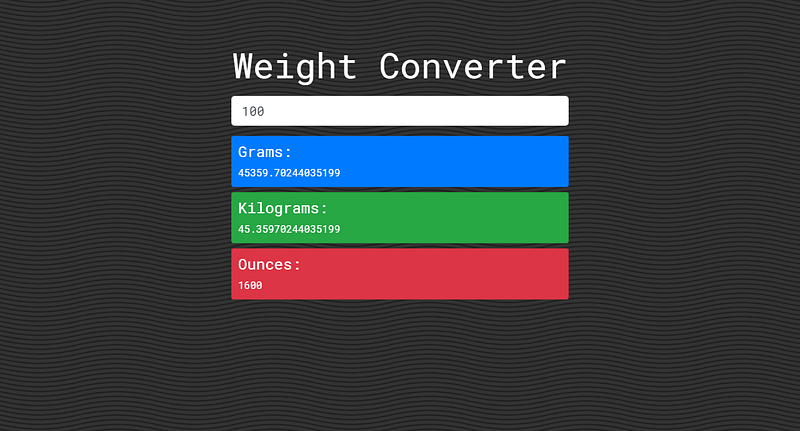
Now you should have a functioning app
## BUILD THE PROGRESSIVE WEB APP
The three basic criteria for a PWA:
* **Service worker**
A service worker is a script that allows your browser to run in the background,
separate from a web page, opening the door to features that don’t need a web
page or user interaction. Today, they already include features like push
notifications and background sync. [Read
more](https://developers.google.com/web/fundamentals/primers/service-workers/)
* **Manifest file**
The web app **manifest** is a simple **JSON** file that tells the browser about
your web application and how it should behave when ‘installed’ on the user’s
mobile device or desktop. Having a **manifest** is required by Chrome to show
the Add to Home Screen prompt. [Read
more](https://developers.google.com/web/fundamentals/web-app-manifest/)
* **Icons**
These icons control your application and are provided in different sizes for
different devices. Your PWA app will not work without them.
*****
Now let’s get started.
> Before we proceed, ensure you’re using a live server
> Use (*[Web server for
> Chrome](https://chrome.google.com/webstore/detail/web-server-for-chrome/ofhbbkphhbklhfoeikjpcbhemlocgigb?hl=en)*,
or *[VSCode Live
Server](https://marketplace.visualstudio.com/items?itemName=ritwickdey.LiveServer)*)
Create the following files:
* `sw.js` (In root directory)
* `manifest.json` (In root directory)
* `img/icons` (Where we’d store our icons
> First, we need to check if the browser supports service workers and register a
> new one.
In `js/app.js` add
```js
if ('serviceWorker' in navigator) {
window.addEventListener('load', () => {
navigator.serviceWorker.register('../sw.js').then( () => {
console.log('Service Worker Registered')
})
})
}
```
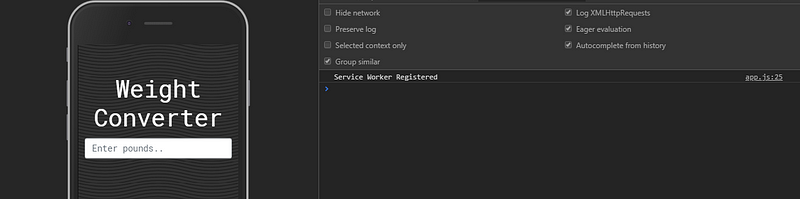
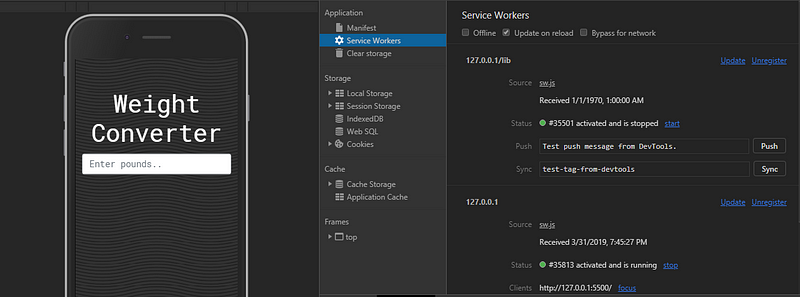
If the browser supports it, you should get this in your console
Your final `app.js` should look like this
%[https://gist.github.com/BolajiAyodeji/e12a4b2d7a6e31d309ef7877ef342fac]
We’re going to use the
[Workbox](https://developers.google.com/web/tools/workbox/) library to power our service worker
> Workbox is a set of libraries and Node modules developed by Google that makes it easy to cache assets and take full advantage of features used to build
Progressive Web Apps.
The idea of our service worker is to cache all files (Fonts, JavaScript, CSS,
Images, e.t.c) so we can access them offline after the page loads.
The important thing to understand about the **Service Worker** is that you are
in control of the network. You get to decide what is cached, how it is cached
, and how it should be returned to the user.
— In `sw.js`, add this:
[https://gist.github.com/BolajiAyodeji/724f0e782981f4d24bba324a4274e854]
So basically we imported `workbox-sw.js` which is Workbox’s service worker file,
then we checked if Workbox is loaded in our own service worker.
```js
if (workbox) {
console.log(`Yay! Workbox is loaded 🎉`);
} else {
console.log(`Boo! Workbox didn't load 😬`);
}
```
One of Workbox’s primary features is it’s routing and caching strategy modules.
It allows you to listen for requests from your web page and determine if and how
that request should be cached and responded to.
Routing in Workbox is the process of a Router *matching* a request to a route
and the route then *handling* that request (i.e. providing a response).
In `sw.js`, we did something like this:
```js
workbox.routing.registerRoute(
/\.(?:js|css|scss)$/,
new workbox.strategies.StaleWhileRevalidate(),
);
```
Basically, this tells Workbox that when a request is made, it should see if the
regular expression matches part of the URL (`.css, .scss, .js`) and if it does,
cache that file.
The `StaleWhileRevalidate()` function allows us to use this cache in our
application but still update in the background if the file has changed. You
would need to refresh again to see the new files.
Precaching a file will ensure that a file is downloaded and cached before a
service worker is installed, meaning that if your service worker is installed,
your files will be cached.s
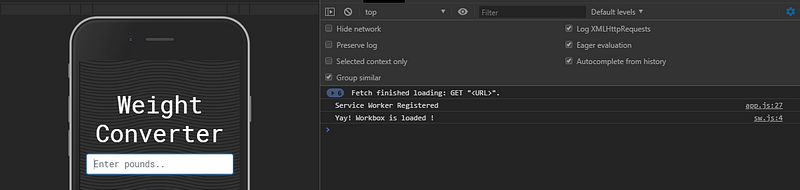
Now our service worker works and would cache files once the page loads.
Now let's make our app installable.
— Add this in `manifest.json`
%[https://gist.github.com/BolajiAyodeji/a2a04ac9eb7872214512f59e7c488d04]
> Your PWA Icons sizes should be in `px` and in the following sizes: `72x72` ,
> `96x96` , `128x128` , `144x144` , `152x152` , `192x192` , `384x384` , `512x512`
> You can use the [Web Manifest Generator](https://app-manifest.firebaseapp.com/)
> to generate your `manifest.json`
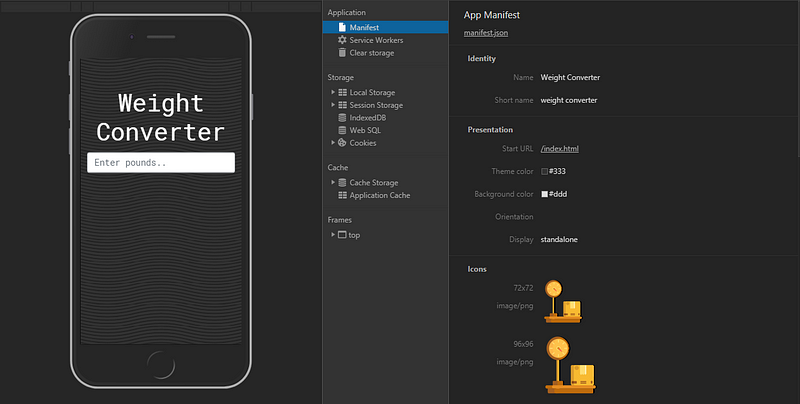
Now we need to connect our web app to the manifest to allow “add to home screen”
from that page. Add this to your `index.html`
```html
```
> If you have multiple pages, you need to add this to all of them.
> You can also use the same `theme-color` you used in `manifest.json` here
Now your final `index.html` should look like this (PS: I’ve added some SEO tags)
%[https://gist.github.com/BolajiAyodeji/d6b82c98d7d7def8ce737b0993ed1017]
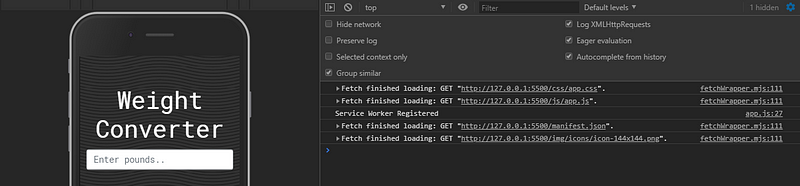
Now caching will begin once the page loads
----
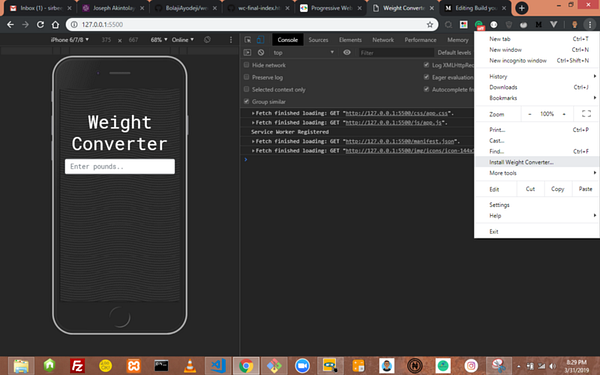
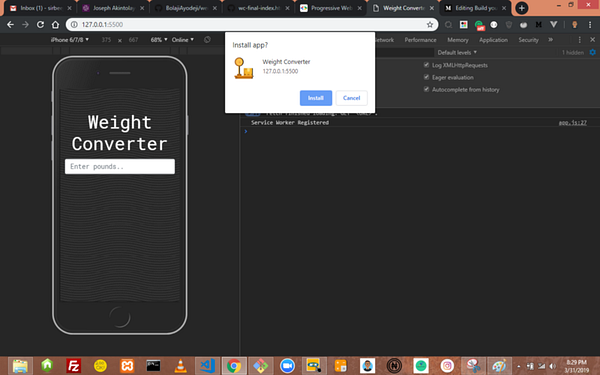
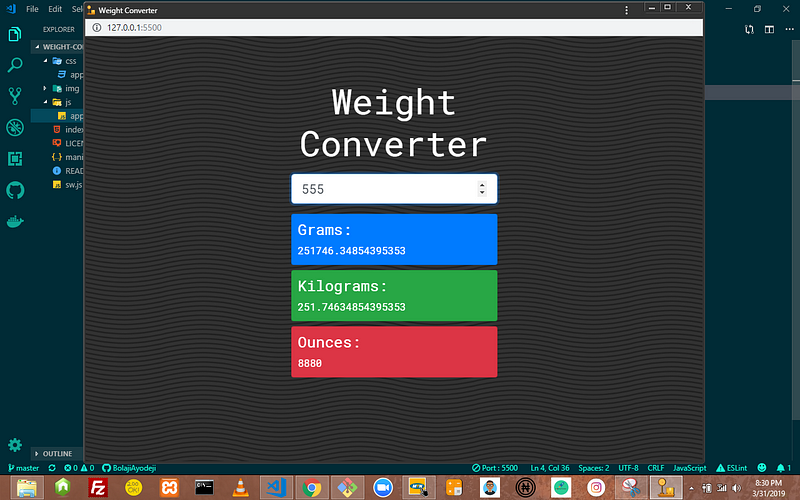
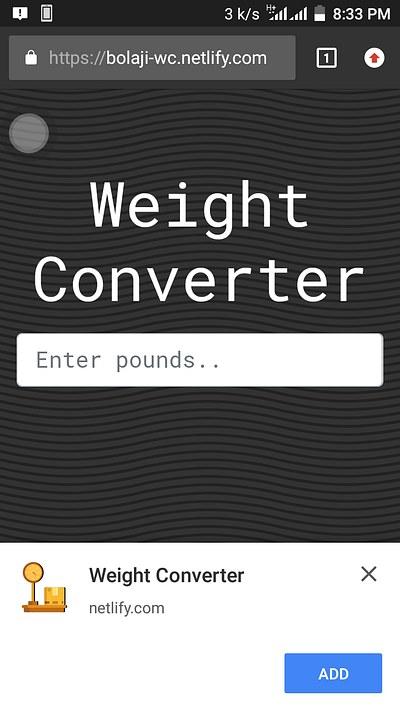
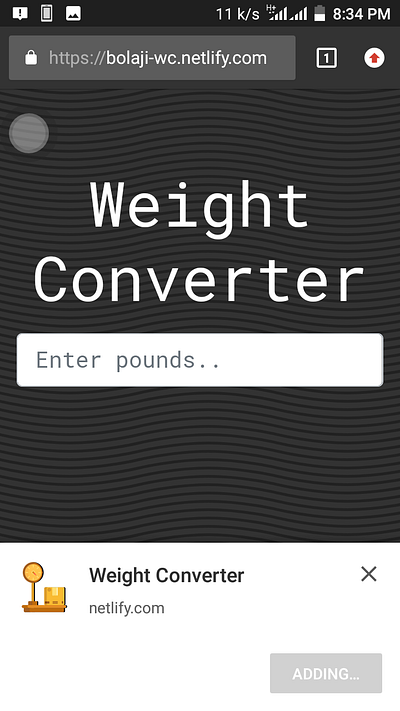
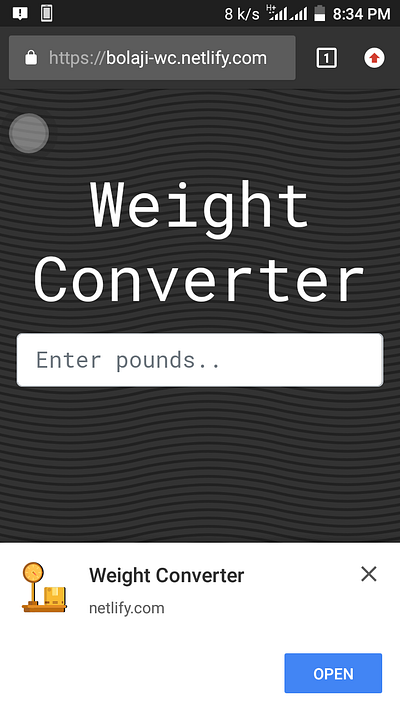
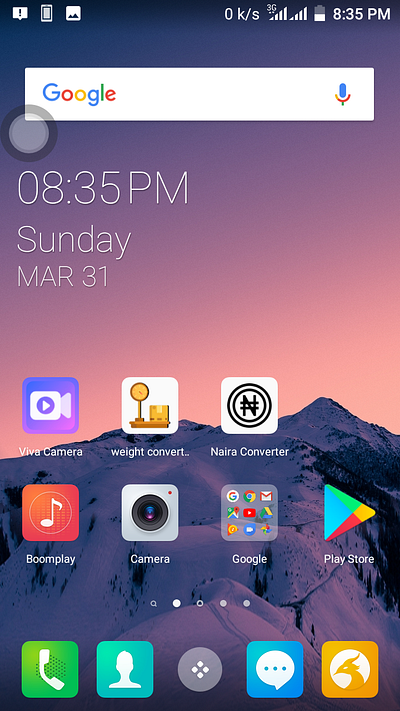
Congratulations, you’ve successfully built your first Progressive Web App.
It can be installed on Mobile (Android and iOS) and Desktop.
### DESKTOP
### MOBILE
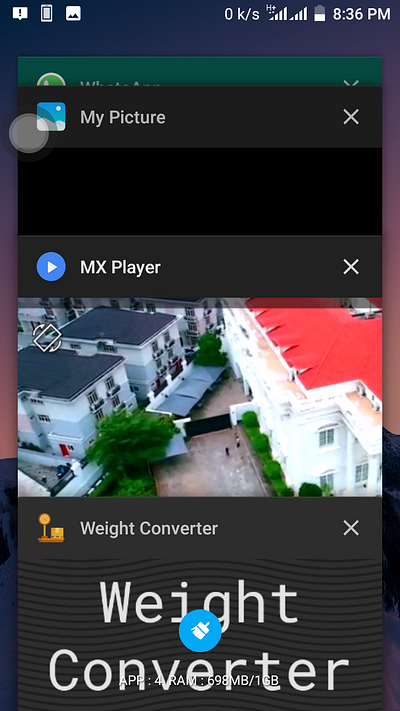
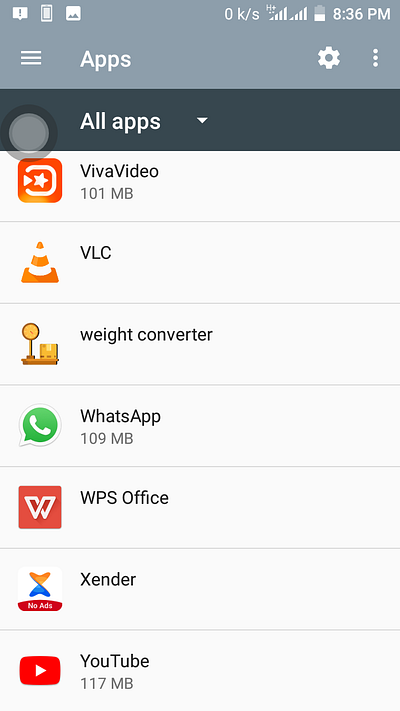
## DEPLOYING TO NETLIFY
Now let’s deploy our app to [Netlify](https://www.netlify.com/).
> Netlify is an all-in-one workflow that combines global deployment, continuous
> integration, and automatic HTTPS. It builds, deploys, and manage modern web
projects.
Before you proceed, ensure you’ve hosted this project on
**[GitHub](https://github.com)**, **[GitLab](https://gitlab.com)** or
**[BitBucket](https://bitbucket.org/)**.
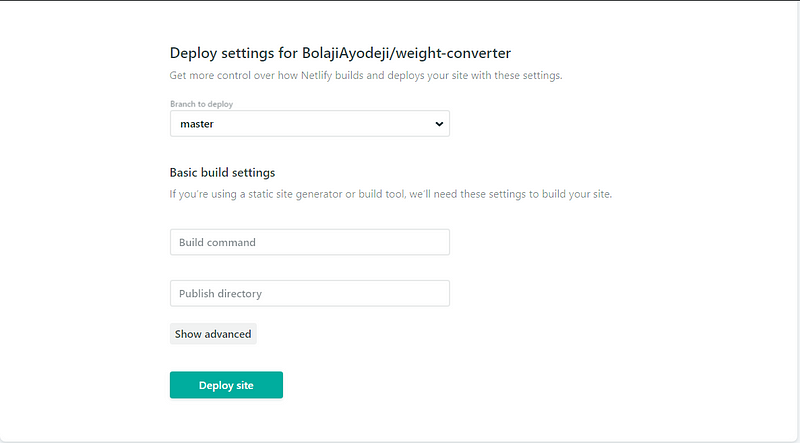
* Create an account on [https:/.netlify.com](https://www.netlify.com/)
* Click new site from Git

* Choose your Git provider
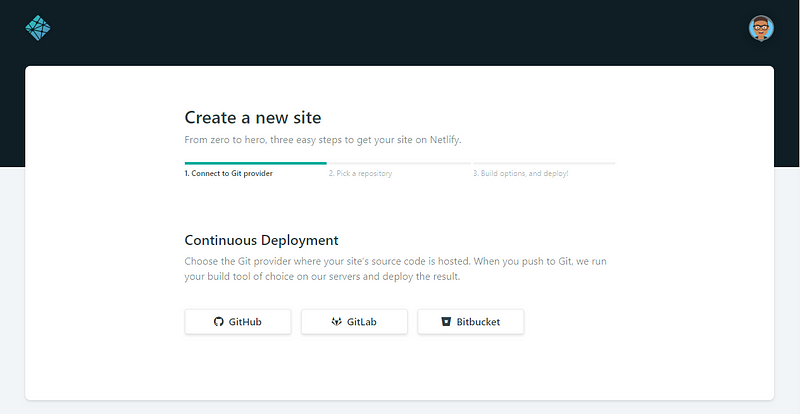
* Select your repository (Here I named it `weight-converter` )
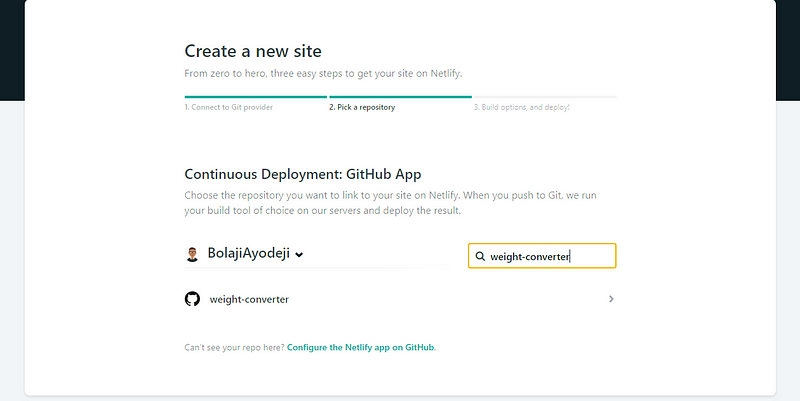
* Click “Deploy site”
* Bingo!! It’s done
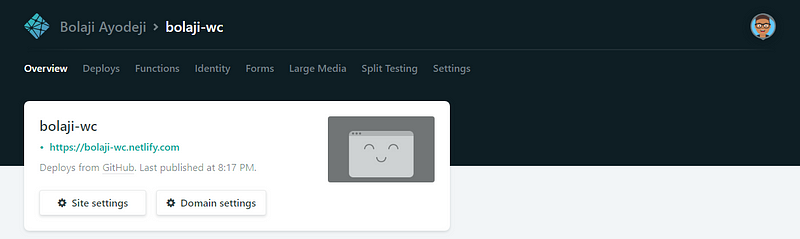
> If you make any changes to your repository, Netlify will deploy automatically.
> PS: Netlify generates random domains for each app deployed, you can change that
> in **Domain settings.**
## CONCLUSION
Building a high-quality Progressive Web App has incredible benefits, making it
easy to delight your users, grow engagement and increase conversions.
* [Worthy of being on the home
screen](https://developers.google.com/web/fundamentals/app-install-banners)
When the Progressive Web App criteria are met, Chrome prompts users to add the Progressive Web App to their home screen.
* [Work reliably, no matter the network
conditions](https://developers.google.com/web/showcase/2016/konga)
Service workers enabled Konga to send 63% fewer data for initial page loads, and 84% fewer data to complete the first transaction!
* [Increased
engagement](https://developers.google.com/web/showcase/2016/extra)
Web push notifications helped eXtra Electronics increase engagement by 4X. And those users spend twice as much time on the site.
* [Improved
conversions](https://developers.google.com/web/showcase/2016/aliexpress)The
ability to deliver an amazing user experience helped AliExpress improve
conversions for new users across all browsers by 104% and on iOS by 82%.
— Source: Google Developer’s
> Check the [PWA
> Checklist](https://developers.google.com/web/progressive-web-apps/checklist)
created by Google to help teams create the best possible experiences. This
checklist breaks down all the things it takes to be a
[Baseline](https://developers.google.com/web/progressive-web-apps/checklist#baseline)
PWA, and how to take that a step further with an
[Exemplary](https://developers.google.com/web/progressive-web-apps/checklist#exemplary)
PWA by providing a more meaningful offline experience, reaching interactive even
faster and taking care of many more important details.
Thank you for reading!
## Credits
* [Google Developer Docs](https://developers.google.com/web/progressive-web-apps/)
* [Workbox](https://developers.google.com/web/tools/workbox/)
* [PWAFire App Manifest Generator](https://app-manifest.firebaseapp.com/)